
Open-source tool
SpineSlim: open-source game asset toolkit with local AI audits
SpineSlim is a local Windows game asset toolkit built by Jiuyao Hengzhi, a game studio in Chengdu. Audit assets locally, optionally discuss findings with an AI model, view Spine and Rive animations, inspect 3D models, pack atlases, compress textures, convert Spine JSON / SKEL versions and process game audio or video. MIT licensed, for Windows 10 / 11.
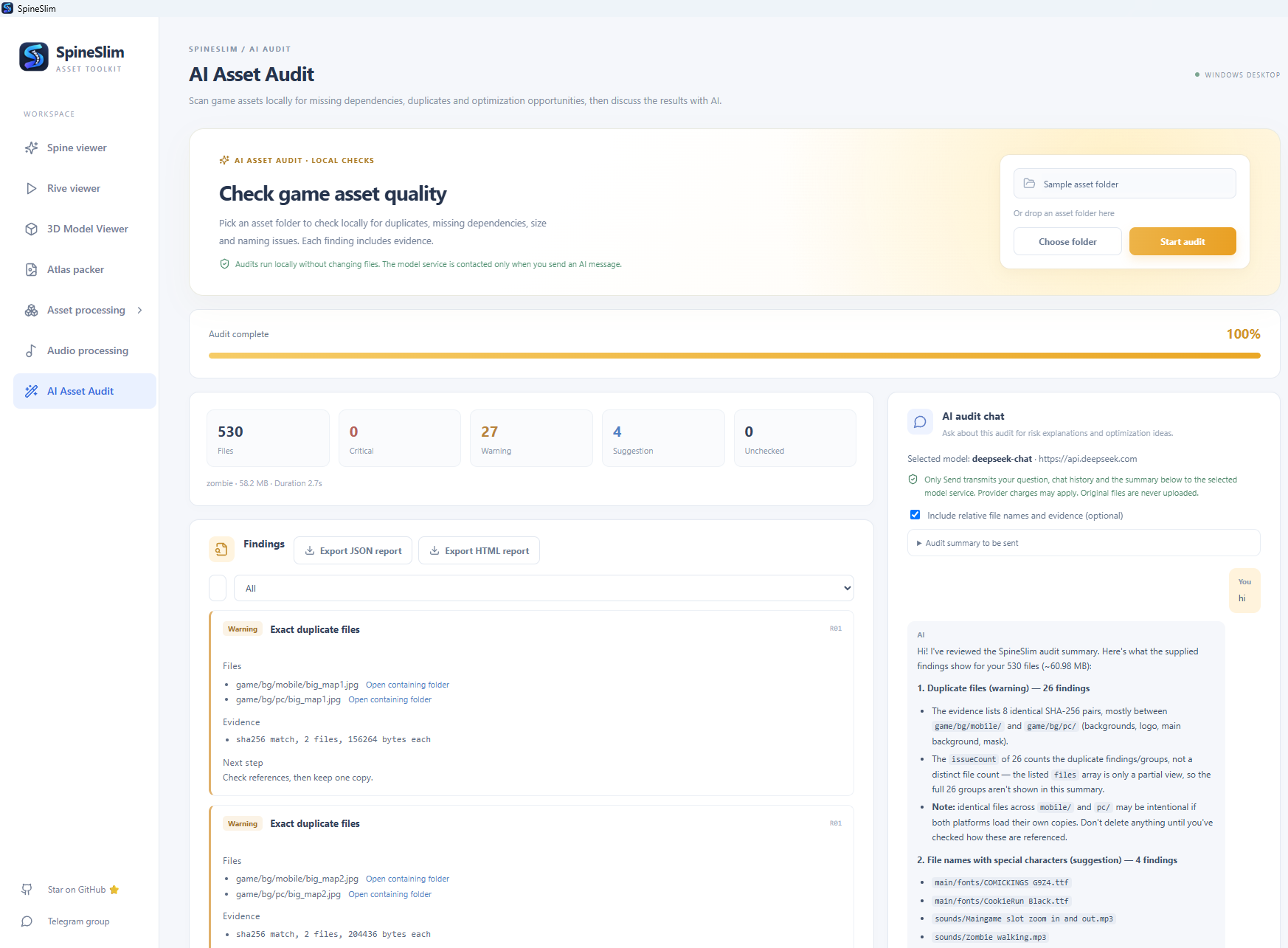
AI Asset Audit: local scans and reports
Choose or drop an asset directory to check exact duplicates, missing dependencies, image dimensions and padding, large files, naming and format issues. Filter or search findings and export JSON / HTML reports.
Audits read assets without changing them. Optional AI chat sends only issue counts and types by default. Sharing relative file names and evidence requires explicit selection; the configured model is contacted only after Send. AI performs no automatic cleanup.
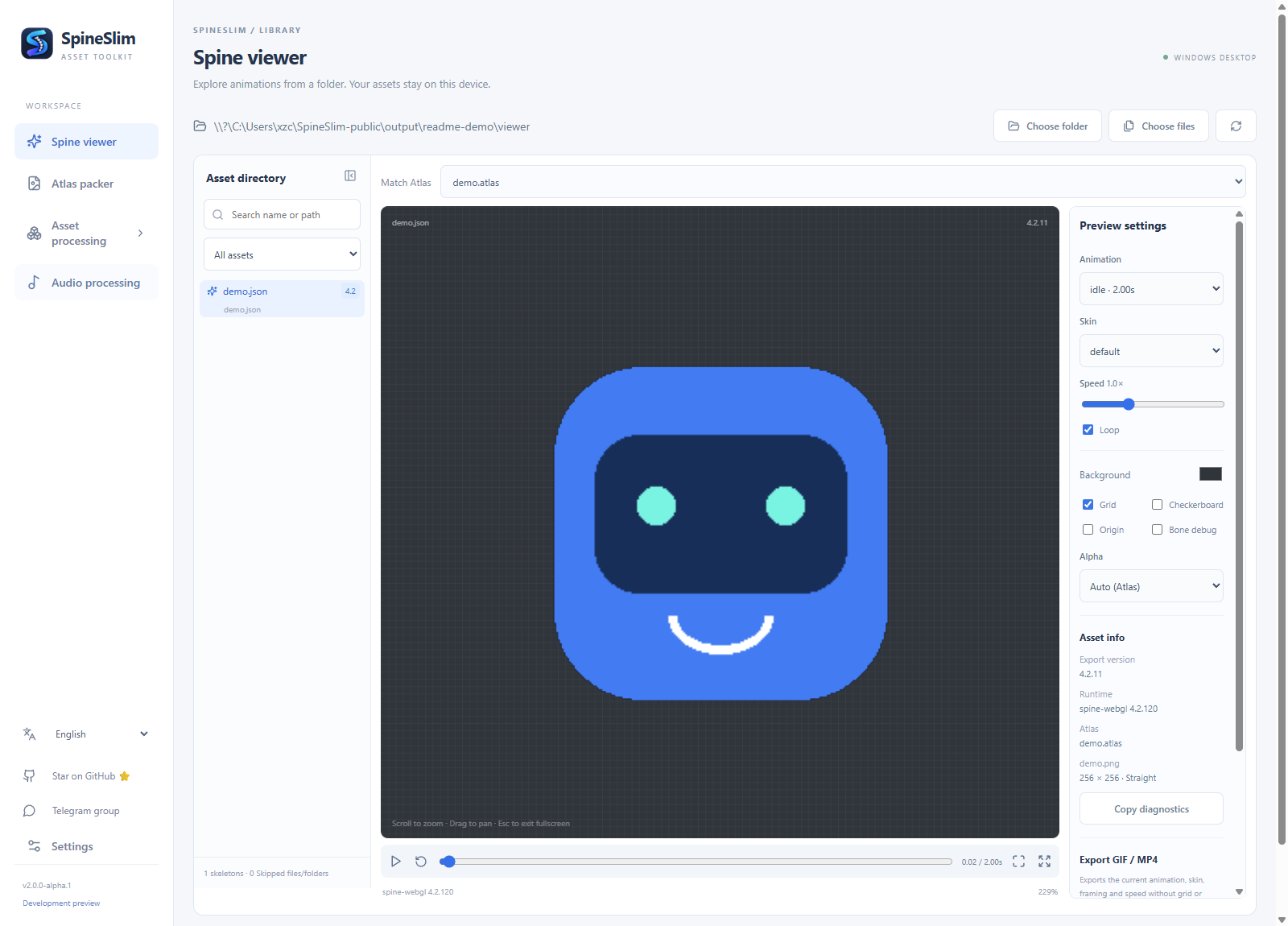
Spine viewer
Open a folder to browse Spine assets, auto-match atlases, inspect resource and runtime version info, and export GIF / MP4. GIF / MP4 export requires FFmpeg.
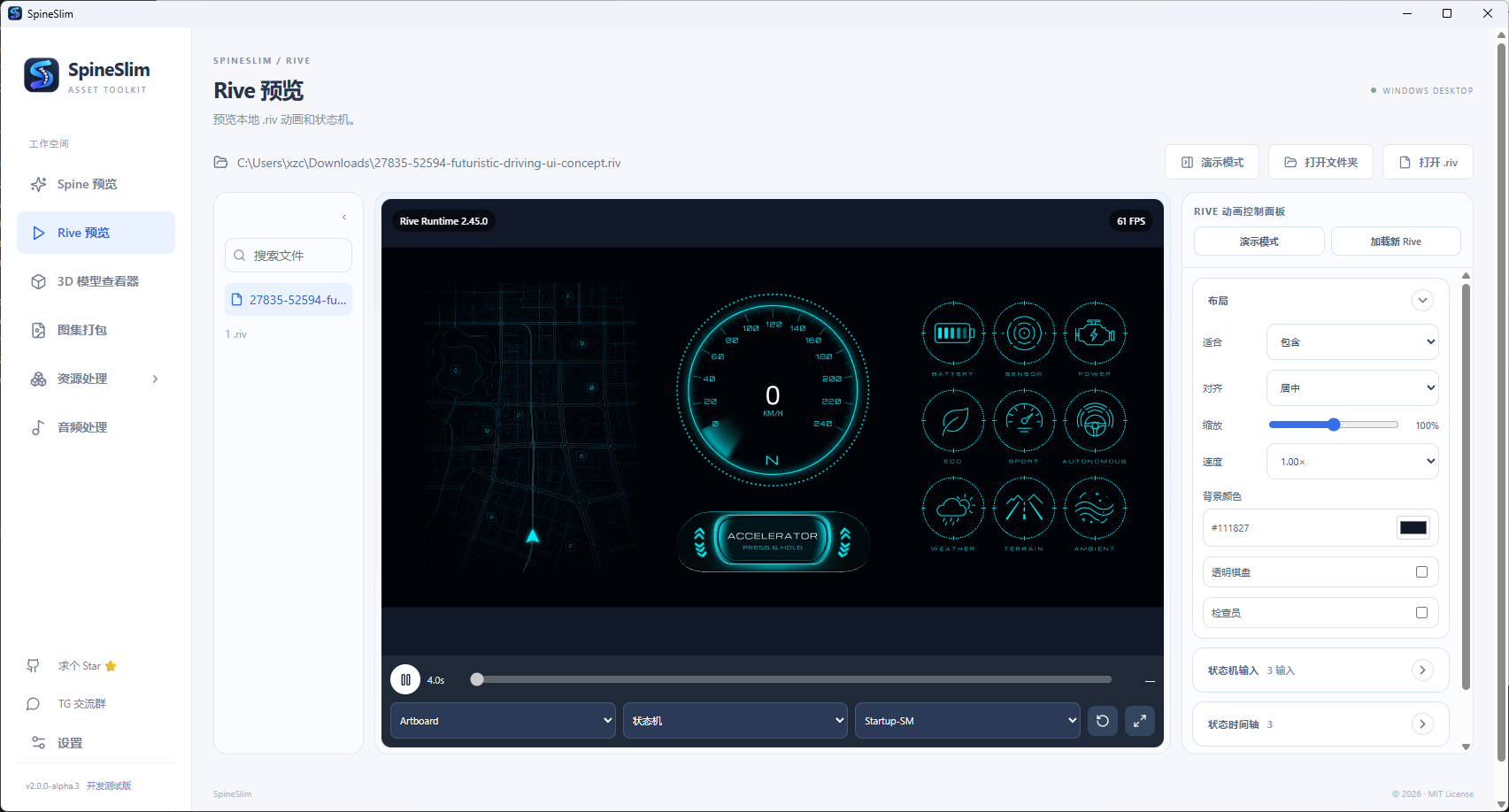
Rive animation and state machines
Open local .riv files offline, switch artboards, animations and state machines, test inputs and canvas interactions, and inspect timelines and event logs.
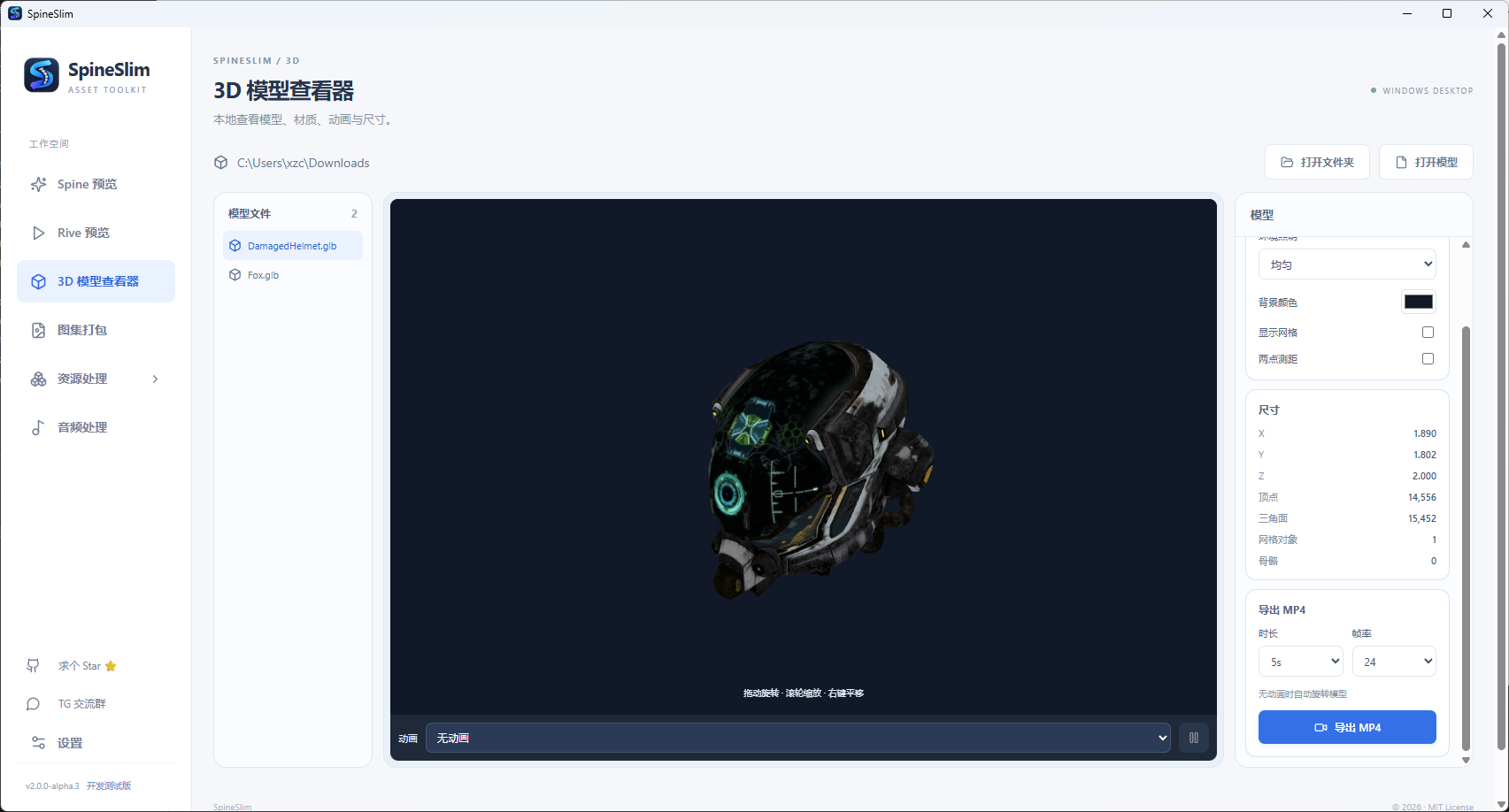
3D model viewer
Inspect GLB, GLTF, FBX, OBJ and STL files, including materials, animations, dimensions and meshes, with render modes and two-point measurements.
Features
AI Asset Audit
Scan a local asset folder for exact duplicates, missing dependencies, image dimensions and padding, large files, naming and format issues. Filter findings and export JSON / HTML reports. Audits read assets without changing them.
Optional AI chat
Discuss scan results with a model you configure. Only counts and issue types are sent by default; sharing relative file names and evidence requires explicit selection. The model is contacted only after you send a message, and AI performs no automatic cleanup.
Spine viewer
Preview Spine 3.8 / 4.0 / 4.1 / 4.2 JSON and SKEL files, switch animations and skins, copy animation names, zoom and pan, and export GIF / MP4. No Spine editor required, and your skeleton files are never modified.
Rive viewer
Open local .riv files offline, switch artboards, animations and state machines, test legacy inputs and canvas interactions, and inspect the state timeline and event log.
3D model viewer
Inspect local GLB / GLTF / FBX / OBJ / STL files, materials, animations, dimensions and meshes, with lighting and render modes, two-point measurements and MP4 export.
Texture atlas packer
Drop in PNG / JPG / WebP, then pack with transparent trimming, edge extrusion and multi-page preview. Export for Cocos (plist), Unity, Godot 4, PixiJS, Phaser 3 and Spine Atlas. The standalone packer does not need TexturePacker.
Texture compression
Batch-process Spine folders while keeping the directory layout and updating atlas texture references. Output as original format, WebP, PNG, JPG or Basis.
Spine version conversion
Upgrade JSON to 4.2.11 by default, or use advanced mode to convert JSON / SKEL in either direction across 3.5–3.8 and 4.0–4.2, keeping the source format or writing JSON / SKEL.
Audio processing
Batch convert and compress to MP3 / OGG / WAV, preview, trim, fade, merge short sound effects and build Howler.js / Phaser audio sprites.
Video conversion
Convert MOV / MP4 / WebM and other videos to WebM / VP9, with separate PC and mobile outputs.
Update checks
Check GitHub Releases at startup or from Settings, then open the release page when a newer Windows build is available. Installation remains manual.
FAQ
- What is SpineSlim?
- SpineSlim is a local Windows game asset toolkit for Unity, Cocos, Godot, PixiJS and Phaser developers. It includes AI Asset Audit, Spine and Rive viewers, a 3D model viewer, atlas packing, texture compression, Spine version conversion and audio/video processing.
- Does AI Asset Audit scan or clean my project?
- In v2.0.0-alpha.7, you can select an asset folder for a real local scan of duplicates, missing dependencies, image issues and more. Audits read assets without changing them and never perform automatic cleanup.
- What does AI chat send to a model?
- AI chat is optional. It sends only issue counts and types by default; sharing relative file names and evidence requires explicit selection. The configured model is contacted only when you send a message. Local audits need no network connection or API key.
- Does anonymous analytics upload my assets?
- No. Anonymous analytics counts module entries, processing starts and terminal outcomes using fixed categories. It does not upload file paths, names, assets or raw exceptions. You can turn it off for the current session in Settings; it starts enabled on each launch.
- Is SpineSlim free?
- Yes. The project's own code is open source under the MIT license and hosted on GitHub. Third-party components and external tools follow their own licenses.
- How do I preview a Spine SKEL file on Windows?
- Import a folder that contains the SKEL, atlas and textures into the Spine viewer. Spine 3.8 / 4.0 / 4.1 / 4.2 are supported, and you can switch animations and skins without installing the Spine editor.
- Can SpineSlim convert Spine versions?
- Yes. The default mode upgrades Spine JSON to 4.2.11. Advanced mode accepts a full target version across 3.5–3.8 and 4.0–4.2, converts JSON or SKEL in either direction, and keeps the source format or writes JSON / SKEL. Always verify the output in the target Spine runtime.
- Can SpineSlim preview Rive and 3D models?
- Yes. The Rive workspace previews local .riv files, state-machine inputs and event logs. The 3D viewer supports GLB, GLTF, FBX, OBJ and STL with materials, animation, dimensions and mesh inspection.
- Is there a texture atlas packer that does not need TexturePacker?
- Yes. The standalone atlas packer turns PNG / JPG / WebP into atlases and exports Unity, Cocos, Godot, PixiJS, Phaser and Spine formats without TexturePacker. The UI auto-classification workflow in asset processing still uses TexturePacker.
- Which operating systems are supported?
- Windows 10 and 11 (x64). There is no macOS installer yet.
- Is SpineSlim affiliated with Spine?
- No. SpineSlim is an independent third-party project and is not affiliated with Spine.
Made by Sichuan Jiuyao Hengzhi Technology Co., Ltd. (九曜恒智), Chengdu. SpineSlim is an independent third-party project and is not affiliated with Spine. Business inquiries: Telegram @glfafafa.